
Mobile GIS App

SField brings full GIS capability to your Android device for field mapping and data collection.

Import shapefiles, draw layers, capture GPS coordinates, and export your field data — all from a single offline-ready app.

Offline-ready GPS-enabled Full GIS Terrain 3D
SField Android

Field-ready GIS features

Full mapping toolkit built for Android, designed for the field.

SField logo

Map & Layers

Android

Offline-ready GPS-enabled
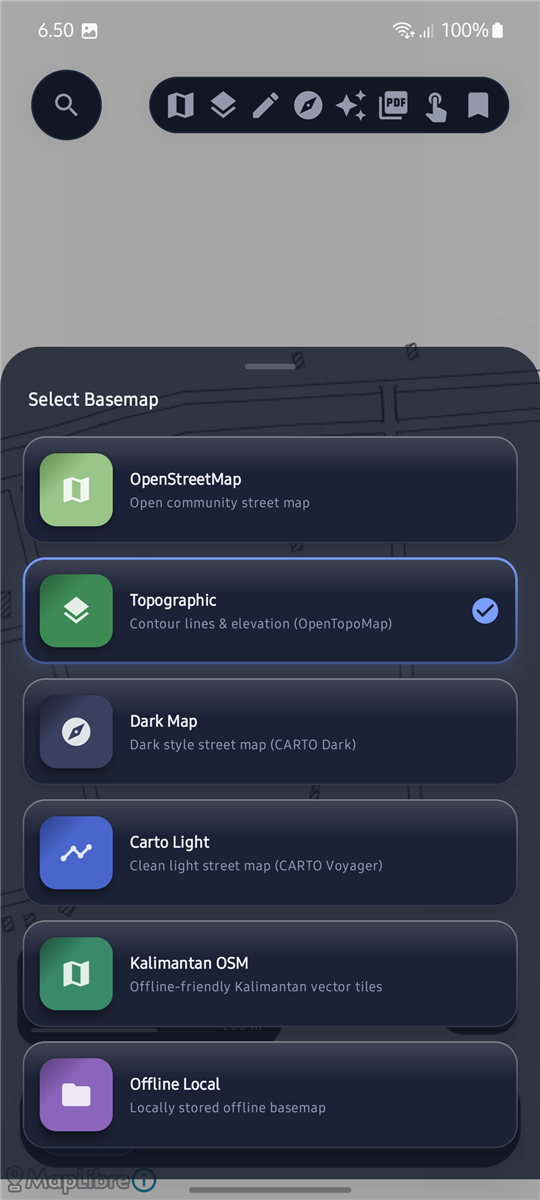
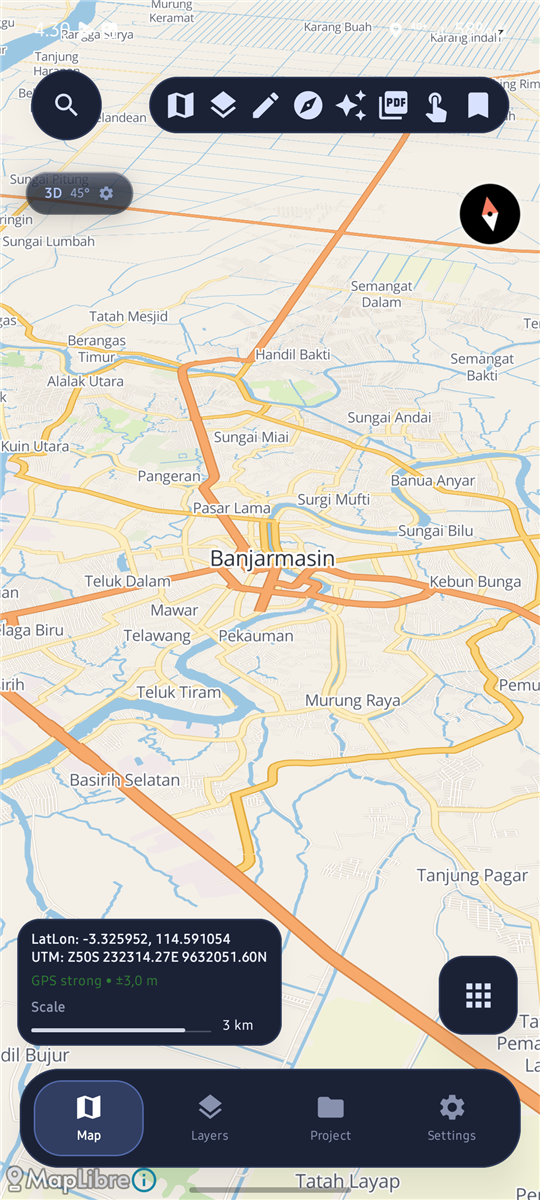
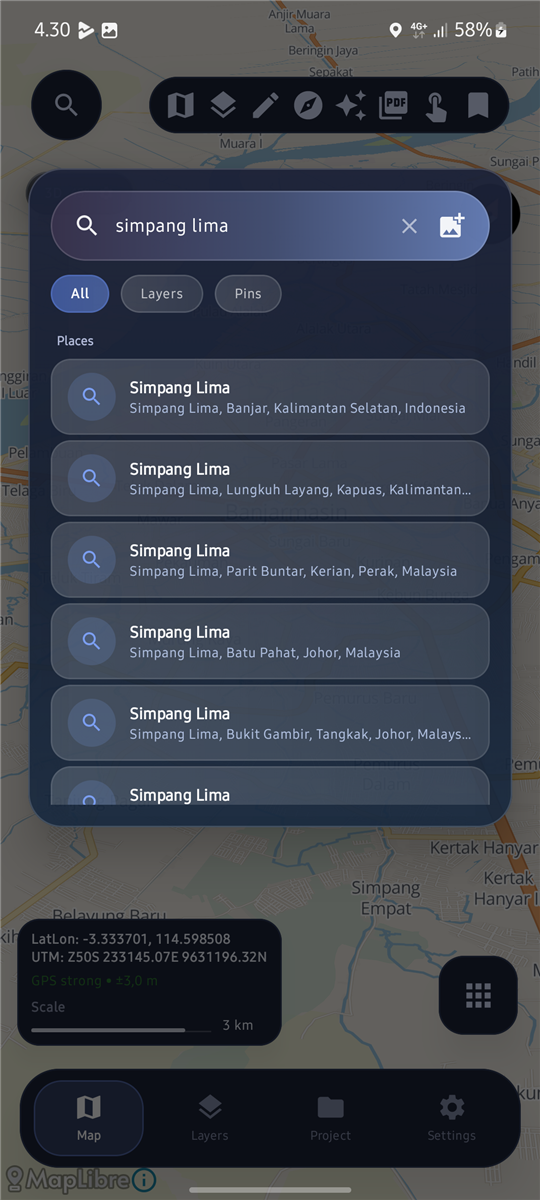
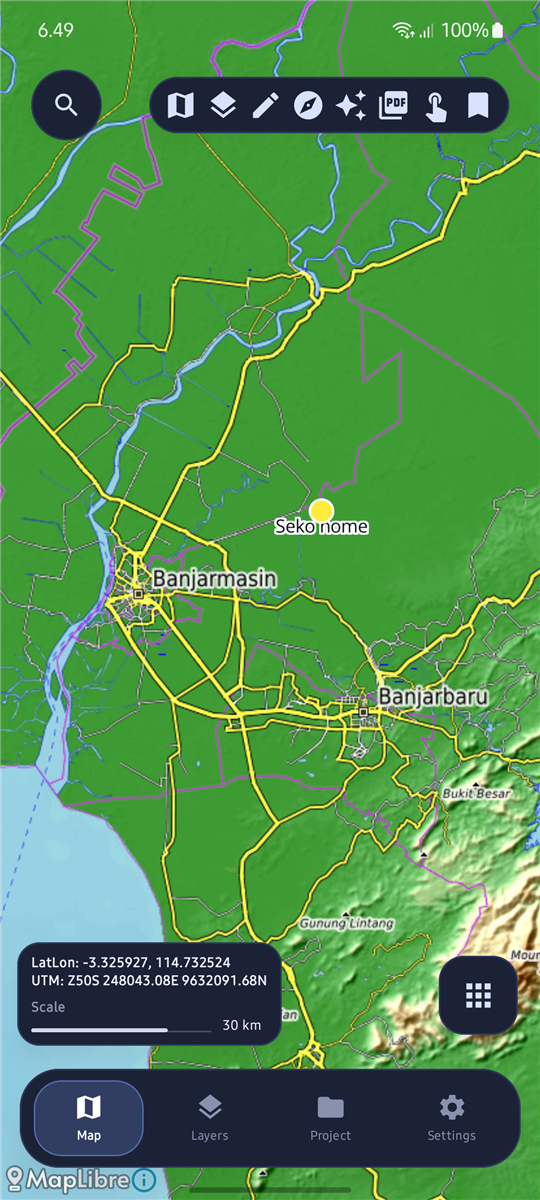
  • Map view: OSM, OpenTopoMap, Esri Imagery, Planet Monthly.
  • Offline local basemap (XYZ tile ZIP).
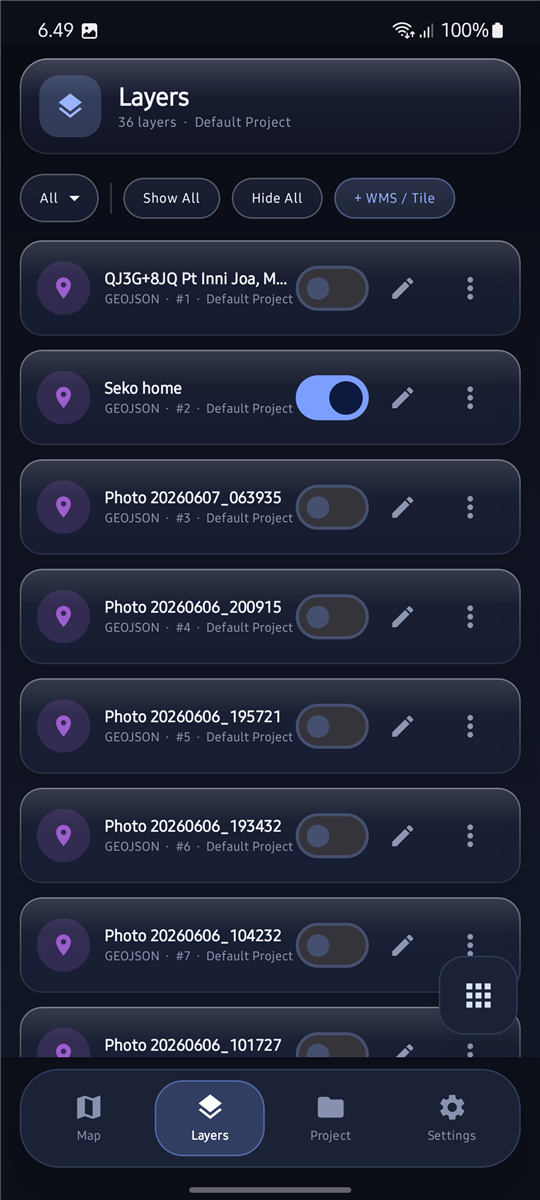
  • Layers panel: visibility, reorder, style, opacity, attribute table.
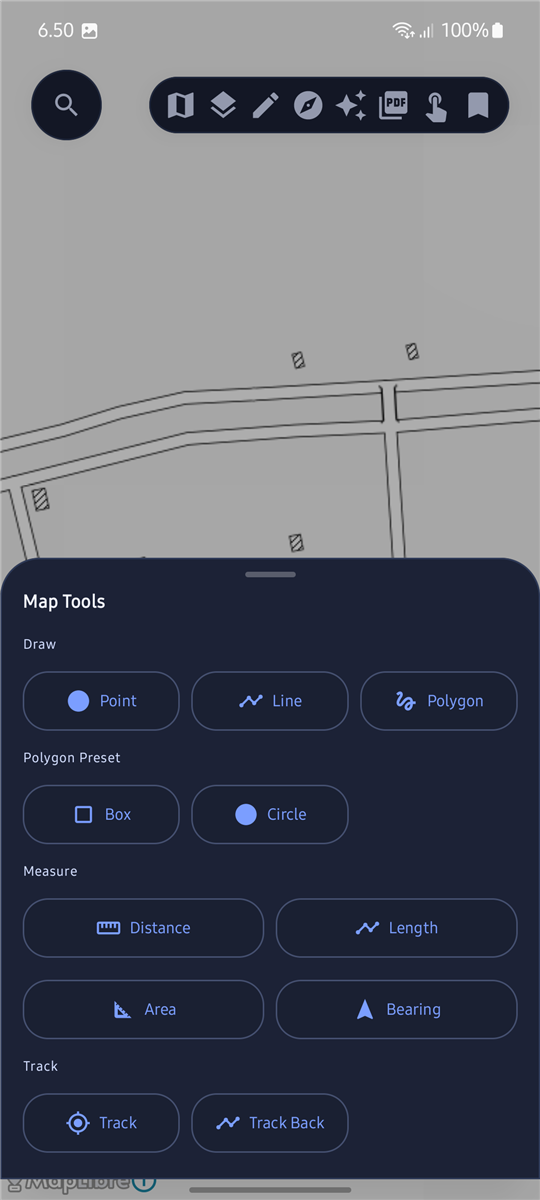
  • Draw Point, Line, Polygon, Box & Circle preset — saved as layer.
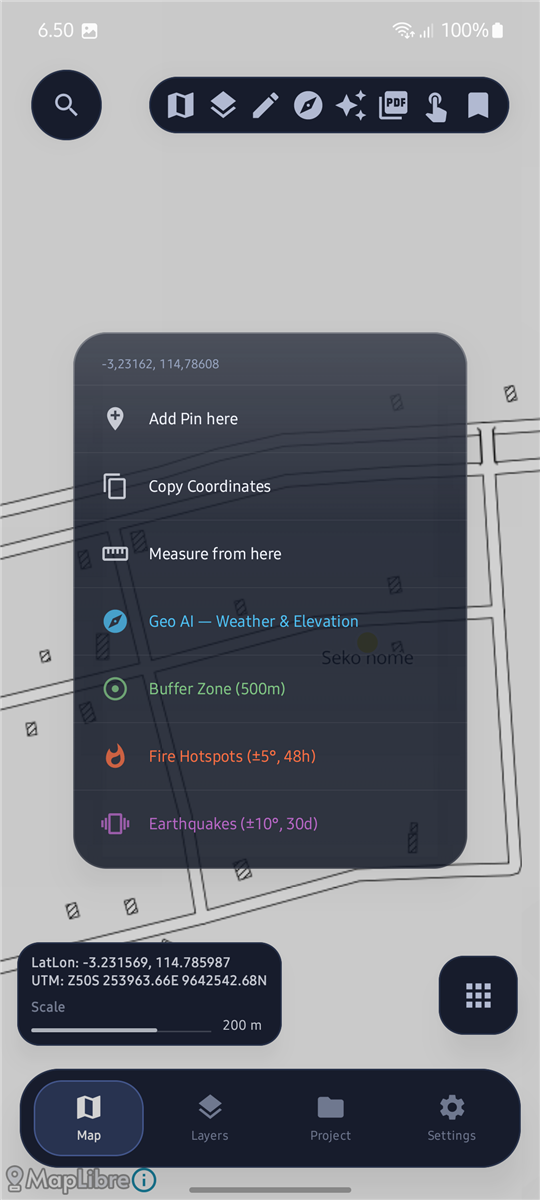
  • Live coordinate overlay (LatLon + UTM) with copy tools.
  • Measure distance, length, and area — saveable as layer.
  • Compass panel: heading, UTM, speed, elevation, calibration.
  • Track recording: start/stop, stats (distance, duration, speed).
  • Pin/field marker with title, coordinates, and photo.
SField logo

Data Import & Export

Android

  • GPX import → GeoJSON line rendering.
  • SHP import (.zip + sidecar .dbf/.prj) → Point/Line/Polygon.
  • GeoJSON, KML, and DXF import.
  • GeoTIFF / JP2 DEM raster overlay and terrain import.
  • GeoPDF import with georeferencing support.
  • Per-layer export: GeoJSON, KML, GPX, DXF, SHP ZIP, CSV.
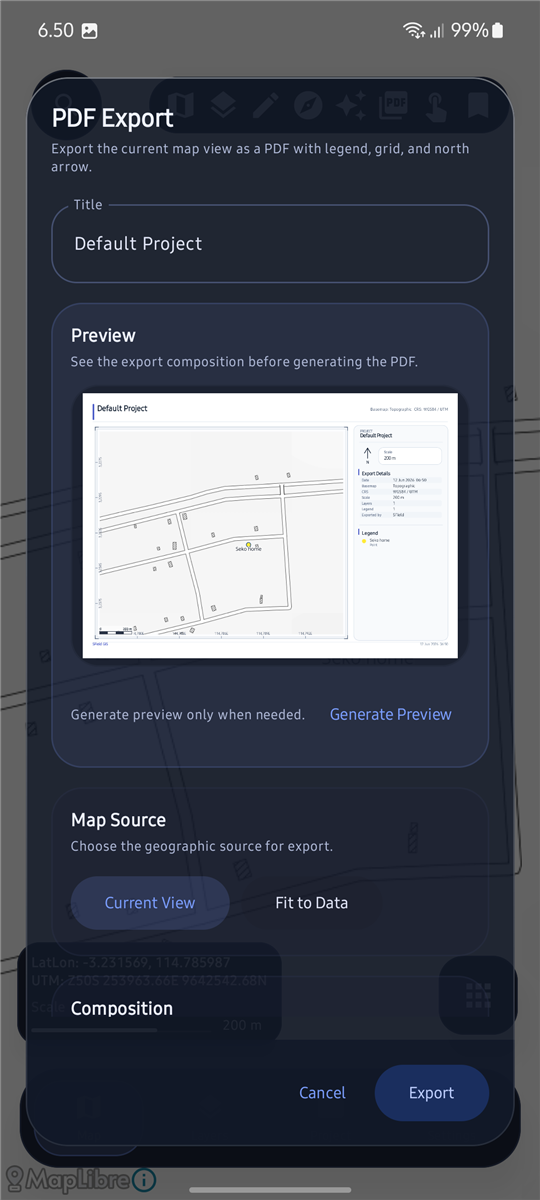
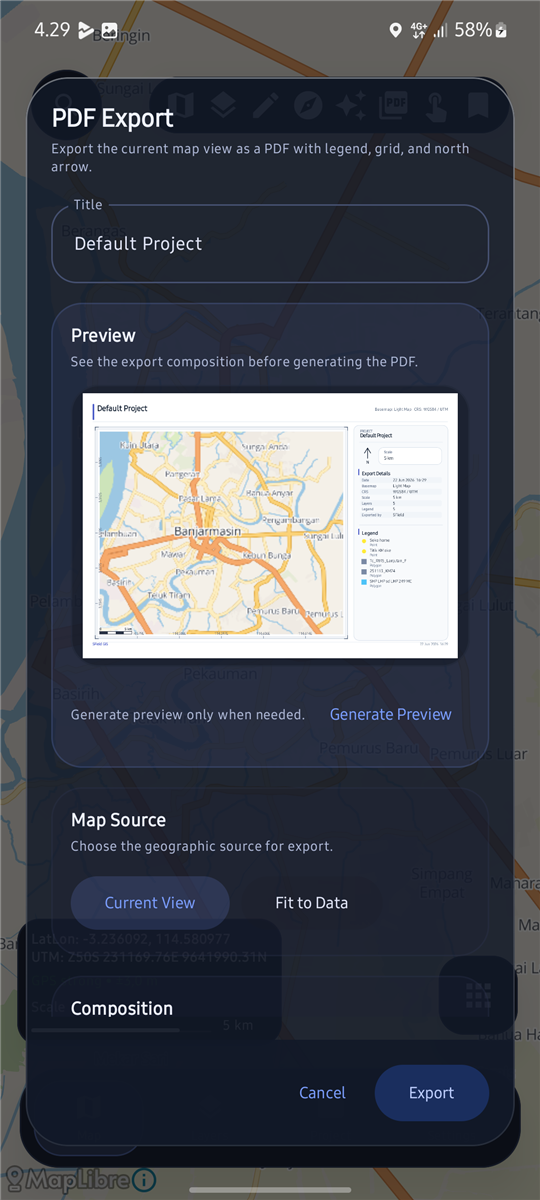
  • PDF export from map snapshot (in development).
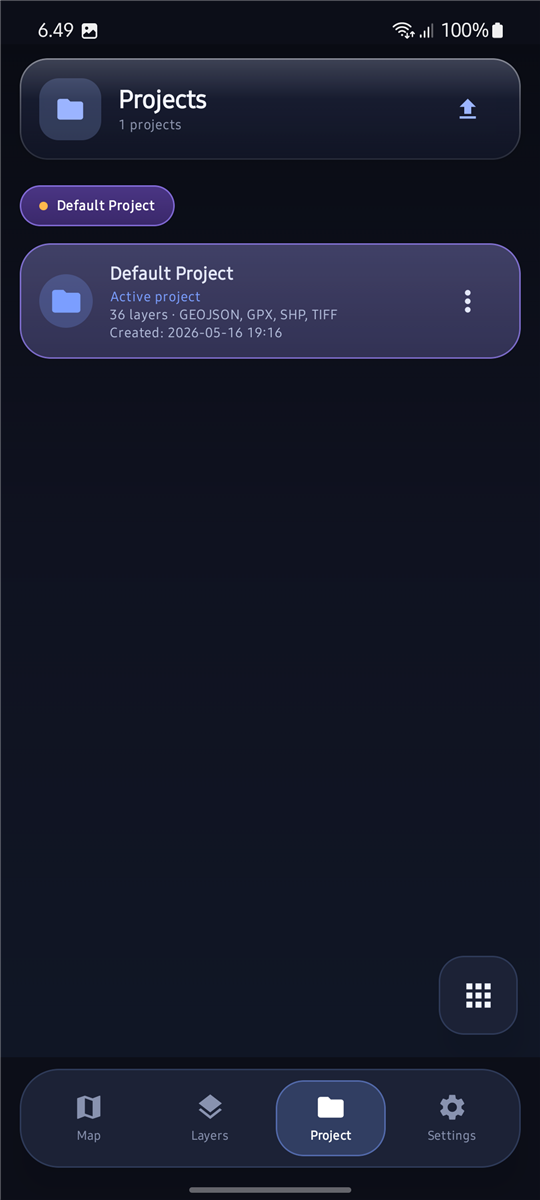
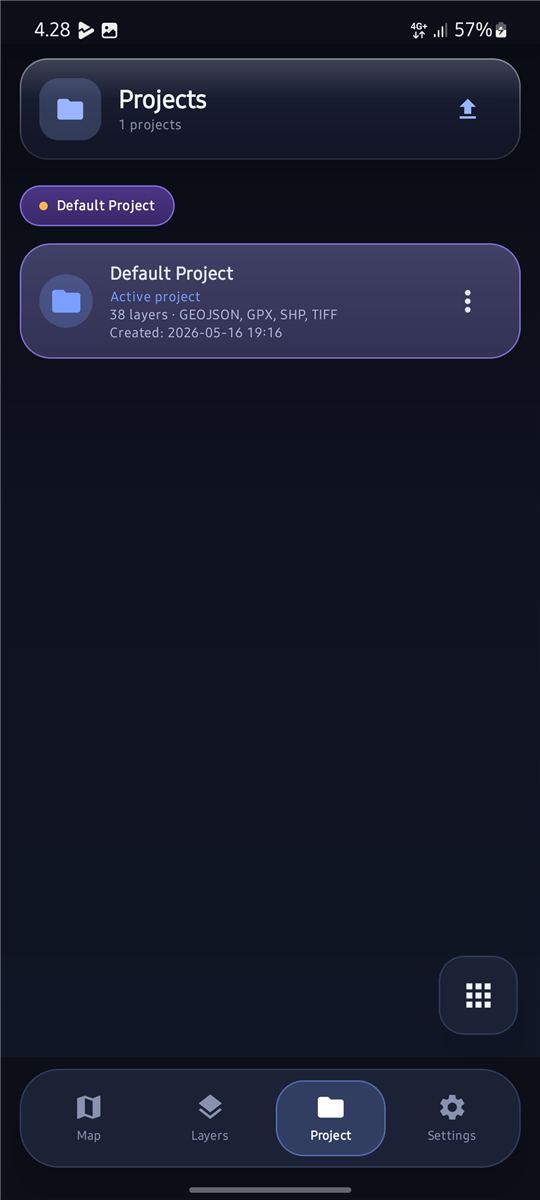
  • Project package export/import for portability (ZIP).
SField logo

Terrain & 3D

Android

  • DEM products: hillshade, contour, slope, aspect.
  • Native 3D Terrain Preview — relief, contour, hybrid, texture modes.
  • Vertical exaggeration, mesh quality (Safe/Balanced/Detail), LOD.
  • GeoTIFF elevation & JP2 DEM as terrain source.
  • Optional MapTiler online terrain with API key.
  • Local Python analysis pipeline for layer processing.
SField logo

Pro & Freemium

Android

  • Free: up to 3 layers.
  • Free: PDF export with SFIELD FREE watermark.
  • Pro: unlimited layers.
  • Pro: clean PDF export, no watermark.
  • Pro: attribute table with search, sort & filter.
  • Pro: symbology editor — color, width, opacity, labels.
  • Pro: terrain & DEM workflow (hillshade, contour, slope, aspect).

Screenshots

A look at the map, layers, and tools in SField.

SField map view
Map view
SField basemap selection
Basemap
SField layers panel
Layers panel
SField map tools
Map tools
SField layer features
Layer features
SField PDF export
PDF export
SField project manager
Project
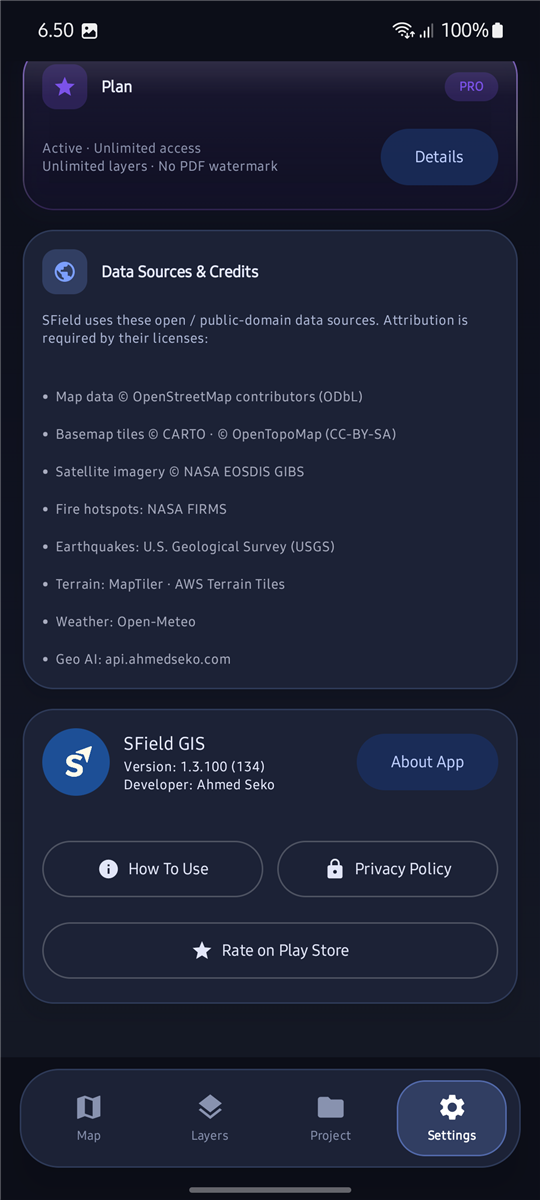
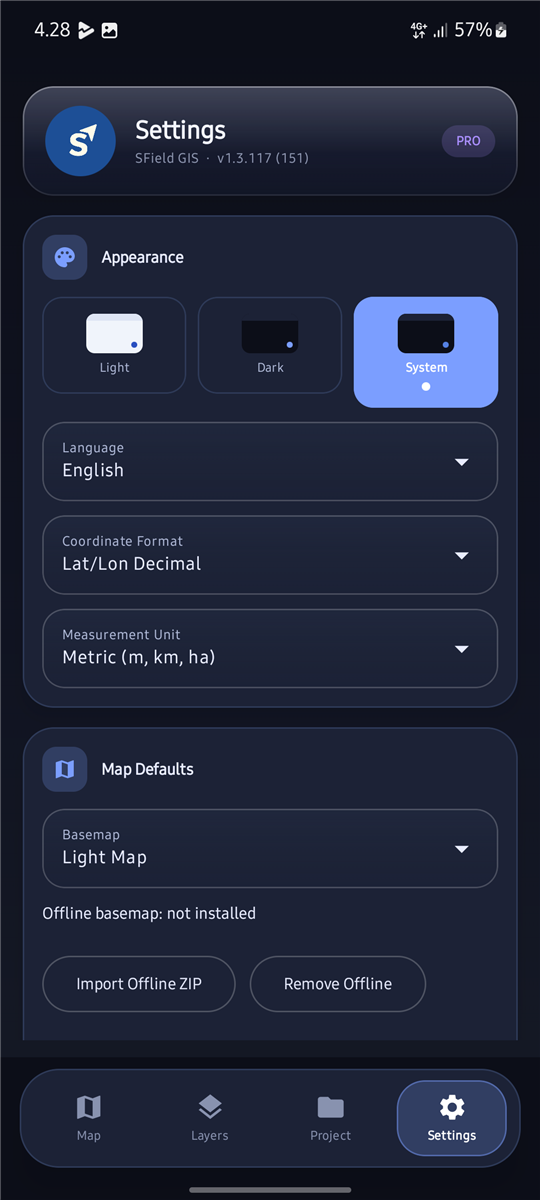
SField settings
Settings

Get SField

Currently in beta — contact us to get early access.

Become a Beta Tester

Interested in testing SField before the public release? We'd love your feedback.

SField is currently in closed beta. If you're interested in testing the app and sharing feedback, reach out via WhatsApp or email and we'll get you set up.

Support

Common questions about SField.

Does SField work offline?

Yes. You can load an offline local basemap (XYZ tile ZIP) and all layer data is stored locally on your device.

What file formats does SField support?

Import: GPX, SHP (ZIP with sidecar), GeoJSON, KML, DXF, GeoTIFF, JP2 DEM, and GeoPDF. Export: GeoJSON, KML, GPX, DXF, SHP ZIP, CSV, and project ZIP packages.

What is the difference between Free and Pro?

Free allows up to 3 layers and includes a watermark on PDF exports. Pro unlocks unlimited layers and clean PDF exports.

Contact

Collaboration, enterprise deployments, or feature requests.

Ahmed Seko logo
Ahmed Seko Developer & Product Builder

GitHub

Ahmedseko